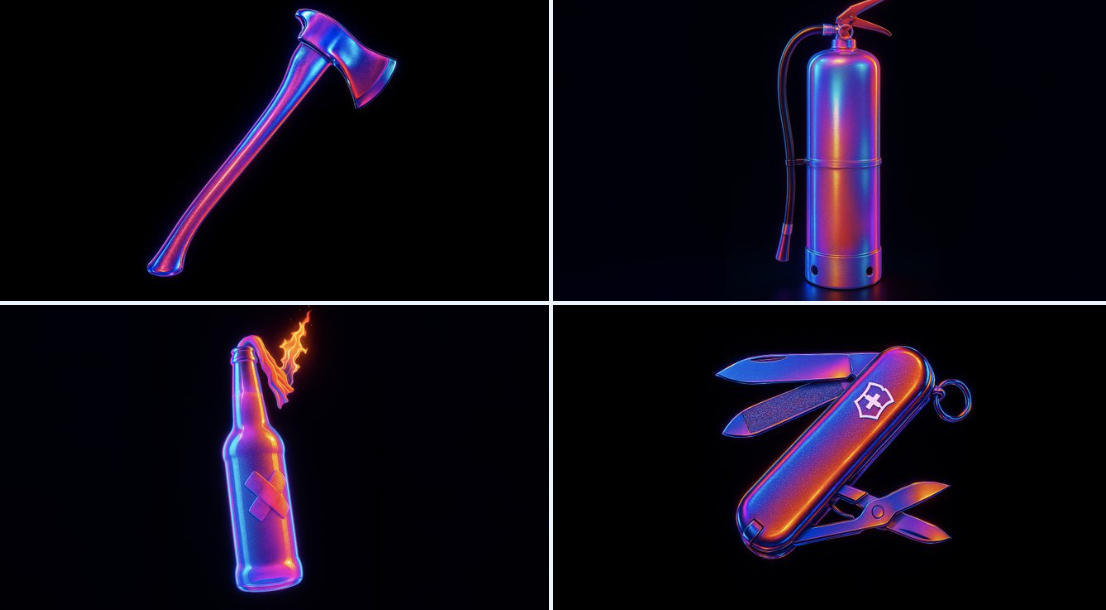
霓虹灯风格工具
来源: @egeberkina
这条提示词生成的画面:霓虹灯风格工具。
可以从提示词确定的画面信息:backlight。
可以改的一个变量:backlight。
如何使用这条提示词
- 画面主体:霓虹灯风格工具。
0 浏览 · 0 复制 · 0 收藏 · 0 讨论
0提示词
今日剩余 1 / 1 次免费复制
retexture the image attached based on the JSON aesthetic below
{
  "style": "hyperrealistic 3D render",
  "material": "high-gloss translucent rubber with iridescent coating",
  "surface_texture": "fine-grain pebbling with micro-specular highlights",
  "lighting": {
    "type": "studio HDRI",
    "intensity": "high",
    "direction": "multi-point with rim and backlight",
    "colors": ["electric blue", "magenta", "neon purple", "sunset orange"],
    "glow_effect": true,
    "chromatic_aberration": true,
    "bloom": true
  },
  "color_scheme": {
    "primary": "iridescent gradient",
    "highlights": "white light core reflections",
    "accent_edges": "black outlines with subtle glow"
  },
  "background": {
    "color": "solid black",
    "texture": "none",
    "contrast": "extreme to enhance subject glow"
  },
  "camera": {
    "angle": "straight-on center view",
    "focus": "sharp foreground, no depth blur",
    "lens": "macro with light distortion"
  },
  "post_processing": {
    "glow": true,
    "contrast_boost": true,
    "color_grading": "vibrant spectrum",
    "noise": "minimal"
  }