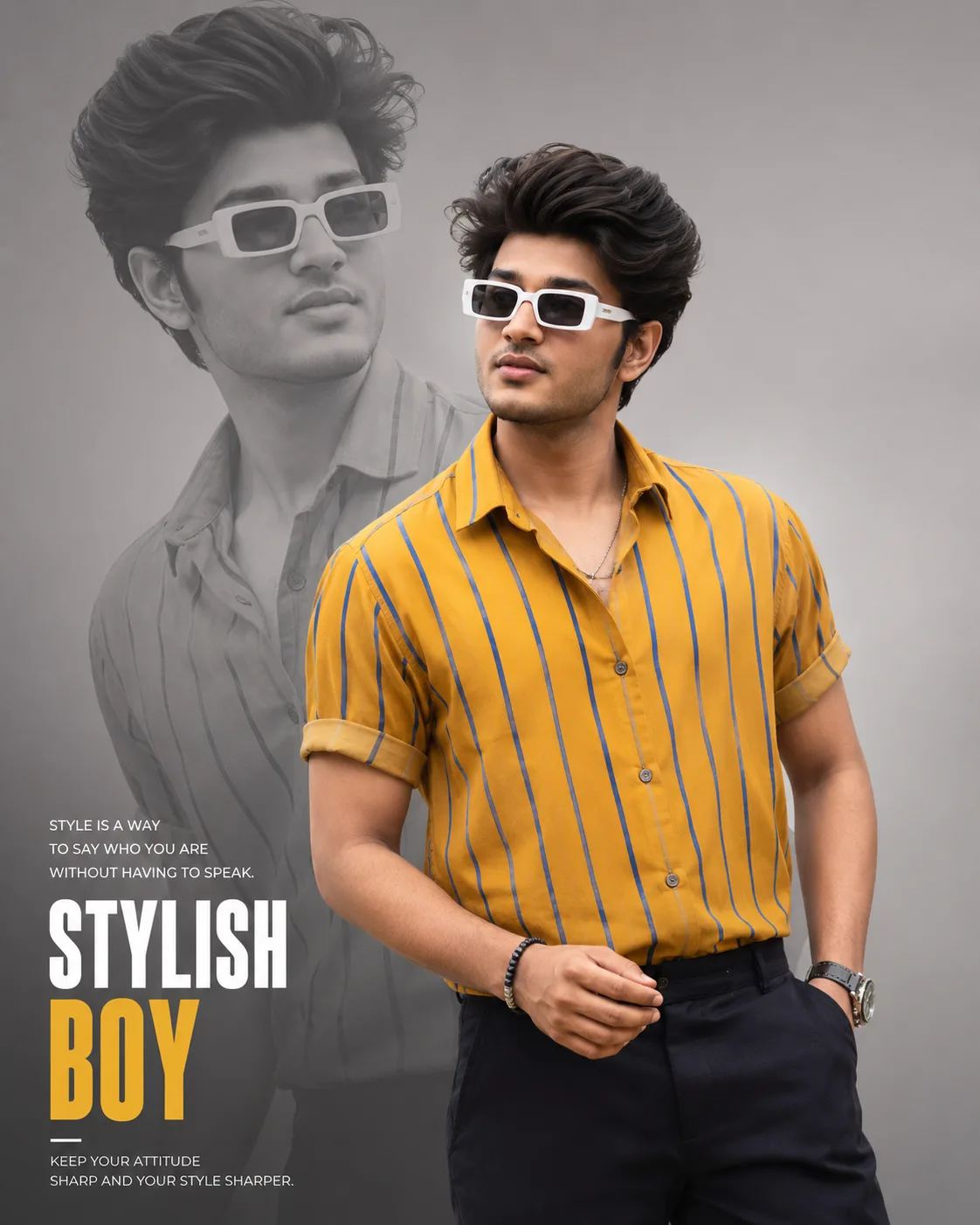
Stylish Double Exposure Portrait
来源: @deepx_j
这条提示词生成的画面:Stylish Double Exposure Portrait。
适用模型:ChatGPT。
可以改的一个变量:写实 look。
如何使用这条提示词
- 适用模型:ChatGPT。
- 画面主体:Stylish Double Exposure Portrait。
- 改一个变量:写实 look。
0 浏览 · 0 复制 · 0 收藏 · 0 讨论
0提示词
今日剩余 1 / 1 次免费复制
Create a highly realistic, premium fashion-style portrait of a stylish young Indian man in a confident standing pose. He is positioned slightly to the right side of the frame, looking confidently toward the side with a relaxed, charismatic expression.

He is wearing a vibrant mustard-yellow short-sleeve button-up shirt with thin vertical blue stripes, paired with dark trousers. The sleeves are casually rolled up. Add modern white rectangular sunglasses with dark lenses, subtle bracelets on one wrist, and a stylish wristwatch on the other. One hand is casually placed near his pocket while the other creates a relaxed fashion pose.

Create a dramatic double-exposure / duplicate portrait composition: place a large monochrome grayscale version of the same man in the background, positioned behind and slightly to the left of the main subject. The background portrait should be larger, softly faded, semi-transparent, and blended naturally into the light gray studio-style background.

Keep the foreground subject in sharp, vibrant color with realistic skin texture, detailed hair, natural facial features, and crisp clothing details. Use soft cinematic lighting, subtle shadows, high contrast between the colorful foreground and faded grayscale background, premium editorial fashion photography, clean minimal composition, modern poster design, DSLR quality, sharp focus, vertical portrait framing, 4:5 aspect ratio.

Add subtle minimalist typography in the lower-left corner with small motivational text and a large bold headline reading “STYLISH BOY”, creating a premium fashion poster aesthetic.
相似提示词

3D Pop-up Parents Day Card
3D 노트 위 꽃이 입체적으로 피어나는 장면, 첨부된 사진의 미니 캐릭터들이 물주고 가꾸는 모습, {argument name="날씨" default="따뜻한 5월 햇살"}, 캐리커처 스타일, 밝고 사랑스러운 분위기, 실제 꽃처럼 디테일하게,

Chibi Scrapbook Photo Transformation
remove the people around the main character, Add multiple small, cute chibi-style “mini versions” of her around the image.

AI Photo Generation Guide
1. Open Gemini / Grok / GPT Image 2.0 2. Upload your photo 3. Copy the prompt 4. Generate 5. Prompt ⤵️ https://t.co/ufvHABxbuM

Depth in Image Generation
🤯 Images 2.5 is so good at building depth!

AI Sticker-Cutout Photo Effect
How to get this viral sticker-cutout photo effect with AI GPT image 2 on chatgpt Prompt👇 https://t.co/Re6oPaU3zv

Photo made of words
Your photo, but made entirely from words 🤯👇 ① Open Gemini / Grok / GPT Image 2.0 ② Add your photo ③ Paste the prompt ④ Generate.

Photo to Hand-Drawn Art
Turn your photo into a hand-drawn masterpiece ✍️🖤 ① Upload your photo ② Copy this prompt ③ Generate ④ Done.

Rubber Stamp Travel Field Notes Poster
GPT image 2 on chatgpt Prompt👇 Please create a separate "Rubber Stamp Travel Field Notes Poster" for each photo I upload, outputting each

Event Photo Synthesis Illustration
Generate a single illustration based on the school trip photos.

Istanbul Travel Journal Collage
Image created on Gpt 2 Prompt: Ultra-realistic hand-painted watercolor travel collage with soft ink outlines, vintage travel journal

Indian Wedding Invitation Card
"एक भव्य भारतीय डिजिटल वेडिंग इनविटेशन कार्ड (Digital Wedding Invitation Card)। बैकग्राउंड में हल्के गुलाबी और सुनहरे रंग के पर्दे

Cat Ruins Photo
GPT Image 2 on ChatGPT Prompt: Use the uploaded reference image as the primary facial reference.