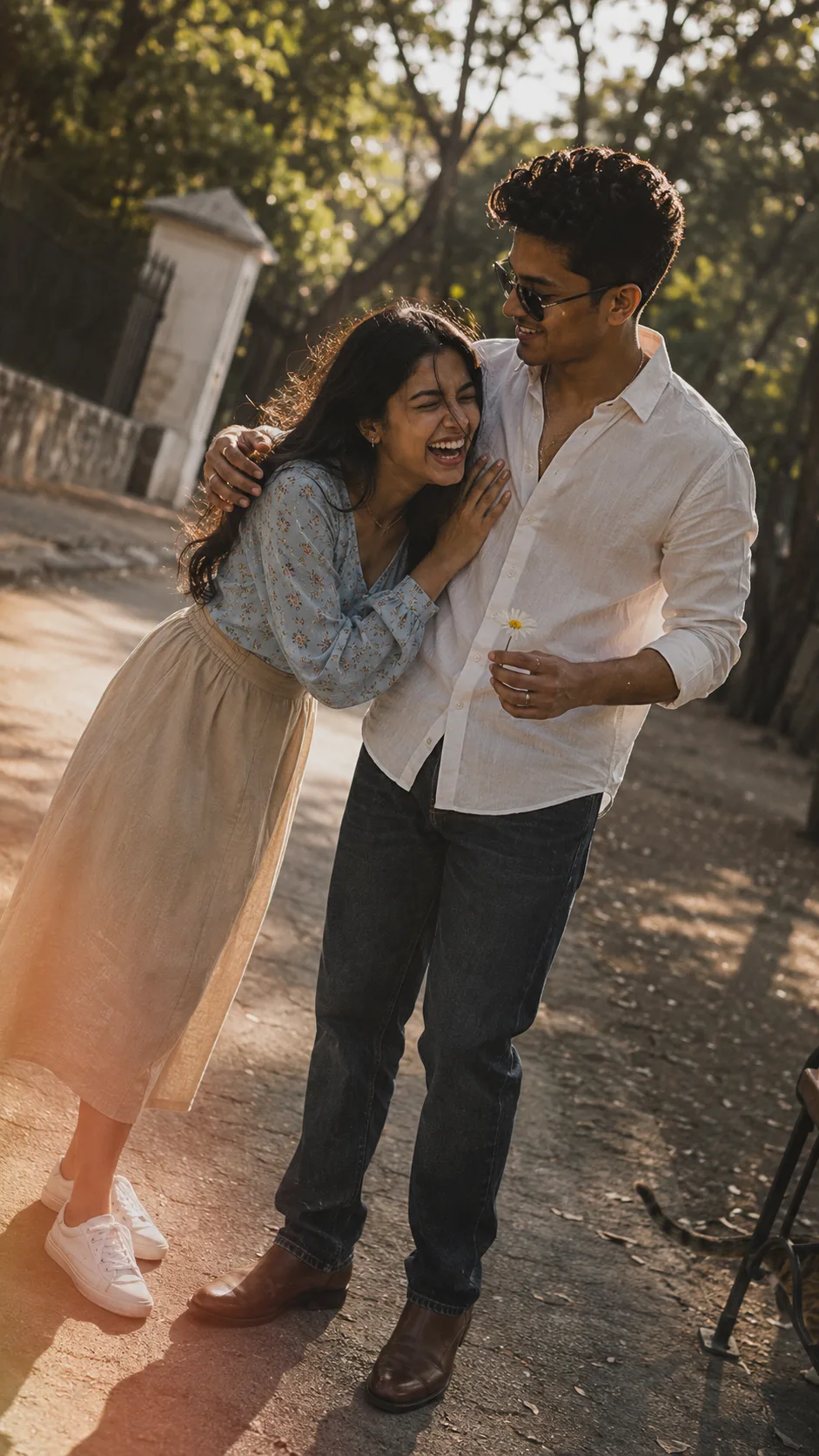
Couple
Source: @sumi_t1431611
This prompt generates Couple.
It is written for ChatGPT.
One variable you can change is Photorealistic look.
How to use this prompt
- Model: ChatGPT.
- Subject: Couple.
- Change Photorealistic look.
0 views · 0 copies · 0 favorites · 0 discussing
0Prompt
1 of 1 free copies left today
A spontaneous snapshot taken on a paved path in the late afternoon, looks like someone caught them mid-laugh as they stopped walking. A young couple stands facing each other, she leaning forward with laughter, her hand resting on his chest, her eyes squeezed shut, mouth wide open, a strand of hair falling across her face. He looks down at her with a warm affectionate smile, one hand resting on her shoulder, the other holding a small daisy he picked. He wears a white button-up shirt unbuttoned at the collar, dark blue denim jeans, brown leather boots with a scuff on the toe, and a simple silver ring on his finger. She wears a light blue long-sleeved blouse with a small floral print, high-waisted beige midi skirt, white sneakers with a small dirt mark, a thin gold chain necklace slightly twisted, and small gold hoop earrings. Her long dark hair is loose and flowing, tucked behind one ear, a few strands sticking to her lip gloss. The background is blurred with trees and a gatehouse. The photo is slightly overexposed on her hair and his shoulder, a bit of motion blur on her leaning motion and his hand shifting, soft grain, warm faded colors, a small light leak creeping from the bottom left corner. A stray cat is mostly out of frame, only its tail naturally appearing near a park bench leg. Dutch angle from the left, 9:16
Similar prompts

3D Pop-up Parents Day Card
3D 노트 위 꽃이 입체적으로 피어나는 장면, 첨부된 사진의 미니 캐릭터들이 물주고 가꾸는 모습, {argument name="날씨" default="따뜻한 5월 햇살"}, 캐리커처 스타일, 밝고 사랑스러운 분위기, 실제 꽃처럼 디테일하게,

Chibi Scrapbook Photo Transformation
remove the people around the main character, Add multiple small, cute chibi-style “mini versions” of her around the image.

AI Photo Generation Guide
1. Open Gemini / Grok / GPT Image 2.0 2. Upload your photo 3. Copy the prompt 4. Generate 5. Prompt ⤵️ https://t.co/ufvHABxbuM

Depth in Image Generation
🤯 Images 2.5 is so good at building depth!

AI Sticker-Cutout Photo Effect
How to get this viral sticker-cutout photo effect with AI GPT image 2 on chatgpt Prompt👇 https://t.co/Re6oPaU3zv

Photo made of words
Your photo, but made entirely from words 🤯👇 ① Open Gemini / Grok / GPT Image 2.0 ② Add your photo ③ Paste the prompt ④ Generate.

Photo to Hand-Drawn Art
Turn your photo into a hand-drawn masterpiece ✍️🖤 ① Upload your photo ② Copy this prompt ③ Generate ④ Done.

Rubber Stamp Travel Field Notes Poster
GPT image 2 on chatgpt Prompt👇 Please create a separate "Rubber Stamp Travel Field Notes Poster" for each photo I upload, outputting each

Event Photo Synthesis Illustration
Generate a single illustration based on the school trip photos.

Istanbul Travel Journal Collage
Image created on Gpt 2 Prompt: Ultra-realistic hand-painted watercolor travel collage with soft ink outlines, vintage travel journal

Indian Wedding Invitation Card
"एक भव्य भारतीय डिजिटल वेडिंग इनविटेशन कार्ड (Digital Wedding Invitation Card)। बैकग्राउंड में हल्के गुलाबी और सुनहरे रंग के पर्दे

Cat Ruins Photo
GPT Image 2 on ChatGPT Prompt: Use the uploaded reference image as the primary facial reference.