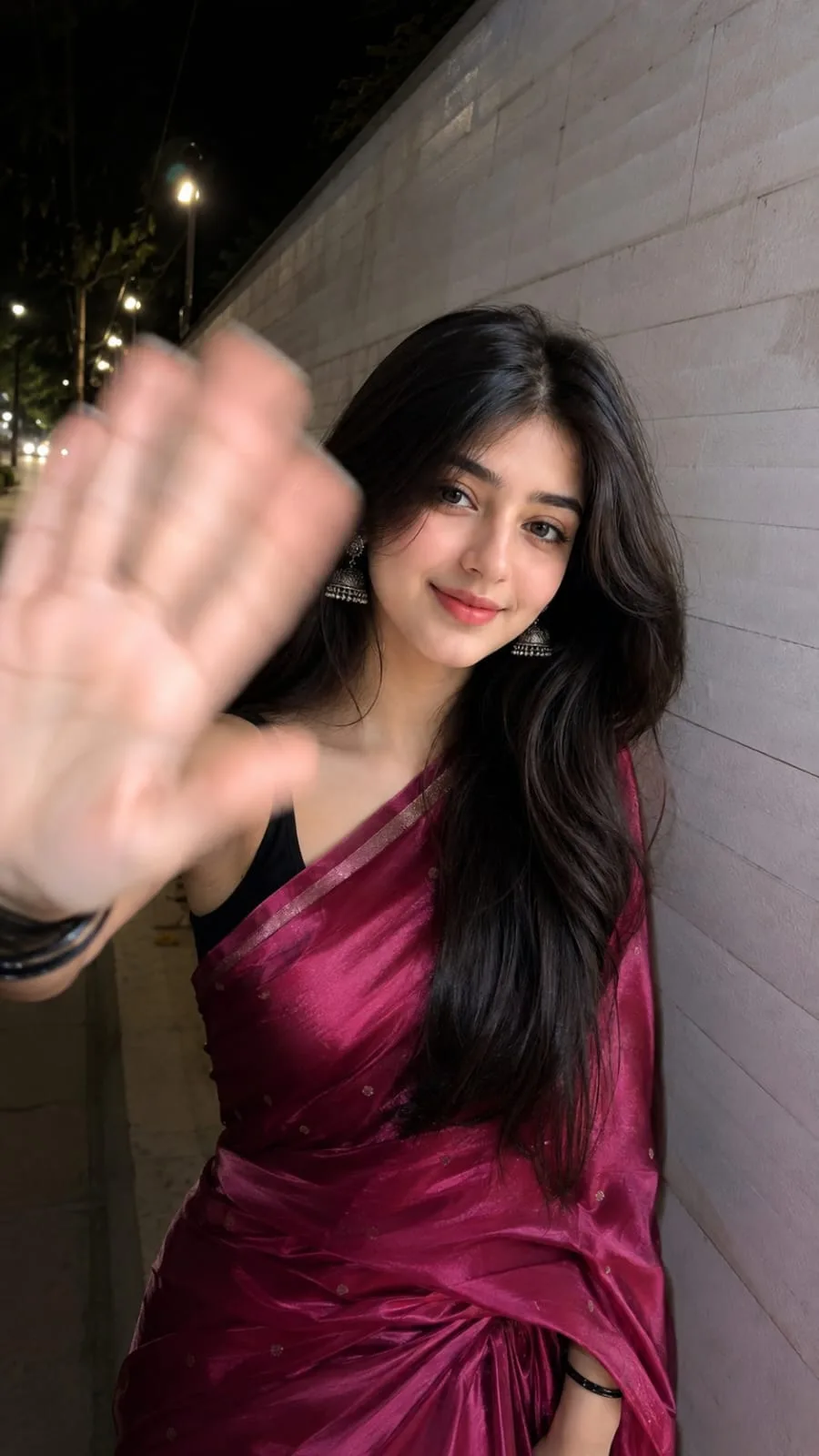
Crimson Glow Under the City Lights ✨
Source: @aayush_ai
This prompt generates Crimson Glow Under the City Lights ✨.
It is written for ChatGPT.
One variable you can change is Photorealistic look.
How to use this prompt
- Model: ChatGPT.
- Subject: Crimson Glow Under the City Lights ✨.
- Change Photorealistic look.
0 views · 0 copies · 0 favorites · 0 discussing
0Prompt
1 of 1 free copies left today
Use the uploaded photo as the ONLY identity reference. Preserve the person's face exactly as in the uploaded image. Do NOT change the identity, facial structure, skin tone, hairstyle, eyebrows, eyes, nose, lips, jawline, beard (if any), age, expression, or facial proportions. The face must remain identical to the uploaded photo.

Keep the exact same head position, face angle, eye direction, neck tilt, hairstyle placement, and facial expression as the uploaded image. Do not rotate, reshape, or re-angle the head.

Recreate the subject walking beside a long white tiled wall at night. The subject is wearing a deep magenta silk saree with subtle golden border, silver jhumka earrings, and black bangles. One hand is raised very close to the camera, partially covering the face with realistic foreground perspective. Apply natural motion blur ONLY to the raised hand while keeping the face perfectly sharp and unchanged. The body is slightly turned while the head remains exactly the same as the uploaded image.

Use direct smartphone flash, cinematic nighttime street lighting, realistic shadows, shallow depth of field, ultra-photorealistic DSLR quality, natural skin texture, HDR, Instagram Reel aesthetic, candid street photography, high detail, vertical 9:16 composition.

IDENTITY LOCK (Highest Priority):

100% preserve the uploaded person's face.

100% preserve the exact head position and face angle.

Do not alter hairstyle, facial features, skin tone, expression, or facial proportions.

Change ONLY the outfit, body pose, hand position, background, lighting, and camera perspective.

If there is any conflict, ALWAYS prioritize preserving the uploaded face and head position over all other instructions.
Similar prompts

3D Pop-up Parents Day Card
3D 노트 위 꽃이 입체적으로 피어나는 장면, 첨부된 사진의 미니 캐릭터들이 물주고 가꾸는 모습, {argument name="날씨" default="따뜻한 5월 햇살"}, 캐리커처 스타일, 밝고 사랑스러운 분위기, 실제 꽃처럼 디테일하게,

Chibi Scrapbook Photo Transformation
remove the people around the main character, Add multiple small, cute chibi-style “mini versions” of her around the image.

AI Photo Generation Guide
1. Open Gemini / Grok / GPT Image 2.0 2. Upload your photo 3. Copy the prompt 4. Generate 5. Prompt ⤵️ https://t.co/ufvHABxbuM

Depth in Image Generation
🤯 Images 2.5 is so good at building depth!

AI Sticker-Cutout Photo Effect
How to get this viral sticker-cutout photo effect with AI GPT image 2 on chatgpt Prompt👇 https://t.co/Re6oPaU3zv

Photo made of words
Your photo, but made entirely from words 🤯👇 ① Open Gemini / Grok / GPT Image 2.0 ② Add your photo ③ Paste the prompt ④ Generate.

Photo to Hand-Drawn Art
Turn your photo into a hand-drawn masterpiece ✍️🖤 ① Upload your photo ② Copy this prompt ③ Generate ④ Done.

Rubber Stamp Travel Field Notes Poster
GPT image 2 on chatgpt Prompt👇 Please create a separate "Rubber Stamp Travel Field Notes Poster" for each photo I upload, outputting each

Event Photo Synthesis Illustration
Generate a single illustration based on the school trip photos.

Istanbul Travel Journal Collage
Image created on Gpt 2 Prompt: Ultra-realistic hand-painted watercolor travel collage with soft ink outlines, vintage travel journal

Indian Wedding Invitation Card
"एक भव्य भारतीय डिजिटल वेडिंग इनविटेशन कार्ड (Digital Wedding Invitation Card)। बैकग्राउंड में हल्के गुलाबी और सुनहरे रंग के पर्दे

Cat Ruins Photo
GPT Image 2 on ChatGPT Prompt: Use the uploaded reference image as the primary facial reference.