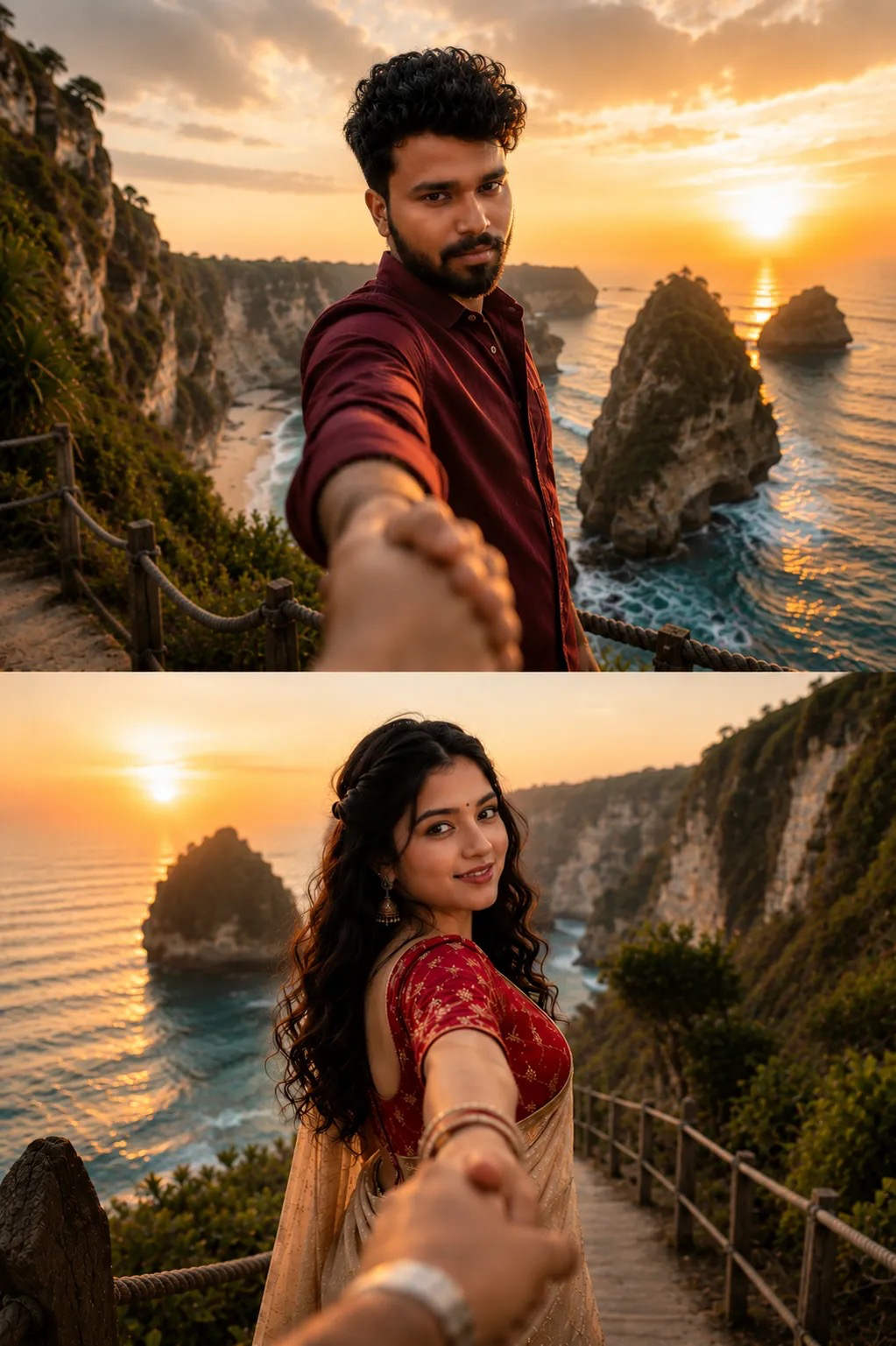
Follow me
Source: @smwajid0
This prompt generates Follow me.
It is written for ChatGPT.
The prompt specifies sunset.
One variable you can change is Photorealistic look.
How to use this prompt
- Model: ChatGPT.
- Subject: Follow me.
- Change Photorealistic look.
0 views · 0 copies · 0 favorites · 0 discussing
0Prompt
1 of 1 free copies left today
Ultra-realistic cinematic travel couple portrait in the famous "follow me" pose at a breathtaking tropical cliffside viewpoint during golden sunset. A handsome young man in a deep maroon shirt stands in the foreground, extending his hand toward the camera as if leading the viewer along a scenic coastal path. Dramatic limestone cliffs, turquoise ocean waves, giant sea stacks, and a glowing orange sun reflecting across the water. In the second frame, a beautiful young Indian woman with long wavy black hair, expressive eyes, elegant earrings, and a red embroidered blouse with a cream saree looks back over her shoulder while holding the viewer’s hand. Warm golden-hour lighting, shallow depth of field, cinematic composition, natural skin tones, ultra-detailed facial features, soft ocean breeze, travel photography aesthetic, romantic atmosphere, DSLR quality, 35mm lens, f/1.8, HDR, 8K ultra-realistic, Instagram-worthy travel shot, professional color grading, stunning coastal landscape, leading lines, immersive perspective, masterpiece photography. Negative Prompt: blurry, low resolution, extra fingers, deformed hands, duplicate people, bad anatomy, distorted face, oversaturated colors, watermark, text, logo, cropped body, low quality, motion blur, unrealistic skin, artificial lighting, cartoon, CGI, painting, noise, artifacts, out of frame.
Similar prompts

3D Pop-up Parents Day Card
3D 노트 위 꽃이 입체적으로 피어나는 장면, 첨부된 사진의 미니 캐릭터들이 물주고 가꾸는 모습, {argument name="날씨" default="따뜻한 5월 햇살"}, 캐리커처 스타일, 밝고 사랑스러운 분위기, 실제 꽃처럼 디테일하게,

Chibi Scrapbook Photo Transformation
remove the people around the main character, Add multiple small, cute chibi-style “mini versions” of her around the image.

AI Photo Generation Guide
1. Open Gemini / Grok / GPT Image 2.0 2. Upload your photo 3. Copy the prompt 4. Generate 5. Prompt ⤵️ https://t.co/ufvHABxbuM

Depth in Image Generation
🤯 Images 2.5 is so good at building depth!

AI Sticker-Cutout Photo Effect
How to get this viral sticker-cutout photo effect with AI GPT image 2 on chatgpt Prompt👇 https://t.co/Re6oPaU3zv

Photo made of words
Your photo, but made entirely from words 🤯👇 ① Open Gemini / Grok / GPT Image 2.0 ② Add your photo ③ Paste the prompt ④ Generate.

Photo to Hand-Drawn Art
Turn your photo into a hand-drawn masterpiece ✍️🖤 ① Upload your photo ② Copy this prompt ③ Generate ④ Done.

Rubber Stamp Travel Field Notes Poster
GPT image 2 on chatgpt Prompt👇 Please create a separate "Rubber Stamp Travel Field Notes Poster" for each photo I upload, outputting each

Event Photo Synthesis Illustration
Generate a single illustration based on the school trip photos.

Istanbul Travel Journal Collage
Image created on Gpt 2 Prompt: Ultra-realistic hand-painted watercolor travel collage with soft ink outlines, vintage travel journal

Indian Wedding Invitation Card
"एक भव्य भारतीय डिजिटल वेडिंग इनविटेशन कार्ड (Digital Wedding Invitation Card)। बैकग्राउंड में हल्के गुलाबी और सुनहरे रंग के पर्दे

Cat Ruins Photo
GPT Image 2 on ChatGPT Prompt: Use the uploaded reference image as the primary facial reference.