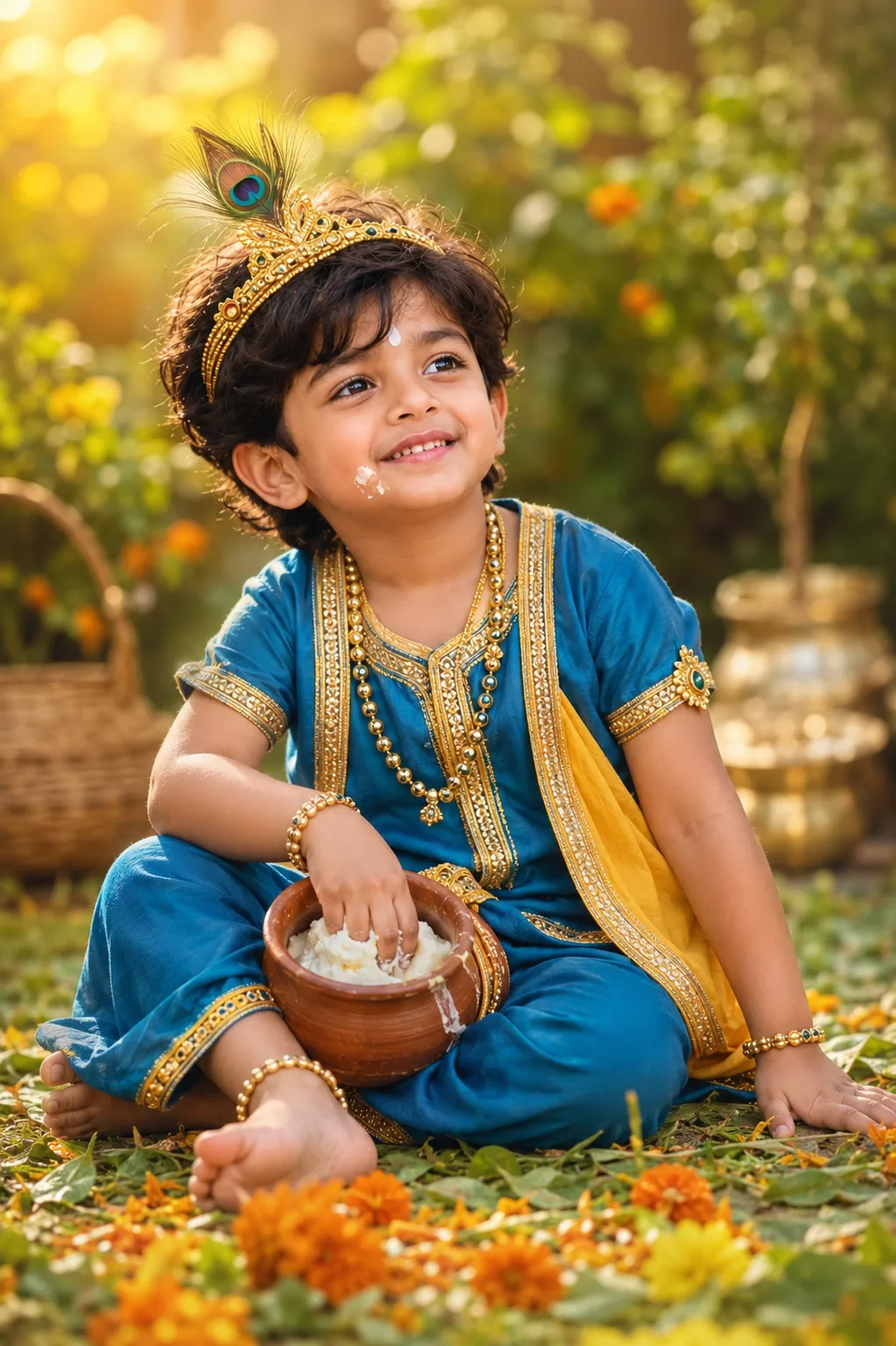
"Makhan Chor Kanha — Janmashtami Kids Special"
Source: @dipanshuvarma65
This prompt generates "Makhan Chor Kanha — Janmashtami Kids Special".
It is written for ChatGPT.
The prompt specifies rim light.
One variable you can change is Photorealistic look.
How to use this prompt
- Model: ChatGPT.
- Subject: "Makhan Chor Kanha — Janmashtami Kids Special".
- Change Photorealistic look.
0 views · 0 copies · 0 favorites · 0 discussing
0Prompt
1 of 1 free copies left today
IDENTITY LOCK: Do not change the child's facial bone structure, eye
shape and color, nose shape, lip shape, jawline, or skin tone in any
way — keep it 100% identical to the original uploaded photo. Body
build and proportions unchanged. Non-negotiable.

Style: Dress the child in a playful Kanha (baby Krishna) getup — a
soft peacock-blue or golden-yellow dhoti-kurta with delicate gold
trim, a small peacock feather mukut (crown), a thin gold mala, and
tiny gold armlets/anklets. Add a small round matki (pot) tipped
slightly as if he's been caught reaching for makhan (butter), with a
little butter smudge playfully near the lips as a classic naughty-
Kanha touch.

DIRECTED POSE (natural for a young child, not stiff): Sitting on the
ground in a garden or courtyard with legs playfully crossed, leaning
slightly forward with one hand reaching into the small matki, the
other hand propped on the ground for balance, body caught mid-motion
as if just grabbing the butter — a candid, mischievous child's pose,
not a rigid stance.

GENUINE CHILD EXPRESSION: A cheeky, playful grin with bright wide
eyes and slightly raised eyebrows, as if caught in the act — the
innocent, unposed expression of a young child mid-mischief, not an
adult-styled expression.

LIGHTING SETUP (as a real photographer would dial it in): Key light —
soft morning or golden-hour sunlight, acting as a warm natural key
from camera-left at a gentle angle suitable for a close child
portrait. Fill — soft bounced light from the ground and nearby
greenery, balancing the key at roughly a 2:1 ratio so shadows stay
soft. Rim light — the sun grazes the child's hair and shoulder edge
from behind, creating a soft golden rim. Catchlights in the eyes
should be warm and soft.

LENS & OPTICS: Simulate an 85mm lens at f/2.2 — flattering close
portrait compression, background rendered as soft creamy bokeh with
blurred garden greenery and a few marigold flowers, gentle fall-off
in sharpness away from the focal point, faint natural vignette at the
corners.

FILM/COLOR SCIENCE: Warm natural-light film response — sunlight
highlights bloom softly rather than clipping, shadows lifted gently
rather than crushed black, rich warm gold-green midtones balancing
naturally against the child's skin tone.

SET DETAILING (peak detail): Small earthen matki with visible texture
and a smear of butter, scattered marigold petals and green tulsi
leaves nearby, a woven cane basket or small brass items softly
blurred in the background, fine detailing on the peacock feather mukul
and gold trim of the outfit, soft natural garden textures like grass
and leaves in the foreground.

RETOUCH PIPELINE: Frequency-separation-style retouching — smooth
tonal transitions on skin while fully preserving natural child skin
texture (soft, no artificial adult-style smoothing or added
definition). Subtle dodge-and-burn to retain natural facial planes,
no flattened or plastic-looking skin.

FINISHING: Fine film grain overlay at low opacity, soft warm natural
color grading, no digital sharpening halos, natural imperfect crop as
if not perfectly composed in-camera.

Ensure zero facial distortion, correct hand anatomy (five fingers per
hand, no fused or extra digits), and consistent shadow/light-source
logic matching the warm natural key light.
Similar prompts

3D Pop-up Parents Day Card
3D 노트 위 꽃이 입체적으로 피어나는 장면, 첨부된 사진의 미니 캐릭터들이 물주고 가꾸는 모습, {argument name="날씨" default="따뜻한 5월 햇살"}, 캐리커처 스타일, 밝고 사랑스러운 분위기, 실제 꽃처럼 디테일하게,

Chibi Scrapbook Photo Transformation
remove the people around the main character, Add multiple small, cute chibi-style “mini versions” of her around the image.

AI Photo Generation Guide
1. Open Gemini / Grok / GPT Image 2.0 2. Upload your photo 3. Copy the prompt 4. Generate 5. Prompt ⤵️ https://t.co/ufvHABxbuM

Depth in Image Generation
🤯 Images 2.5 is so good at building depth!

AI Sticker-Cutout Photo Effect
How to get this viral sticker-cutout photo effect with AI GPT image 2 on chatgpt Prompt👇 https://t.co/Re6oPaU3zv

Photo made of words
Your photo, but made entirely from words 🤯👇 ① Open Gemini / Grok / GPT Image 2.0 ② Add your photo ③ Paste the prompt ④ Generate.

Photo to Hand-Drawn Art
Turn your photo into a hand-drawn masterpiece ✍️🖤 ① Upload your photo ② Copy this prompt ③ Generate ④ Done.

Rubber Stamp Travel Field Notes Poster
GPT image 2 on chatgpt Prompt👇 Please create a separate "Rubber Stamp Travel Field Notes Poster" for each photo I upload, outputting each

Event Photo Synthesis Illustration
Generate a single illustration based on the school trip photos.

Istanbul Travel Journal Collage
Image created on Gpt 2 Prompt: Ultra-realistic hand-painted watercolor travel collage with soft ink outlines, vintage travel journal

Indian Wedding Invitation Card
"एक भव्य भारतीय डिजिटल वेडिंग इनविटेशन कार्ड (Digital Wedding Invitation Card)। बैकग्राउंड में हल्के गुलाबी और सुनहरे रंग के पर्दे

Cat Ruins Photo
GPT Image 2 on ChatGPT Prompt: Use the uploaded reference image as the primary facial reference.