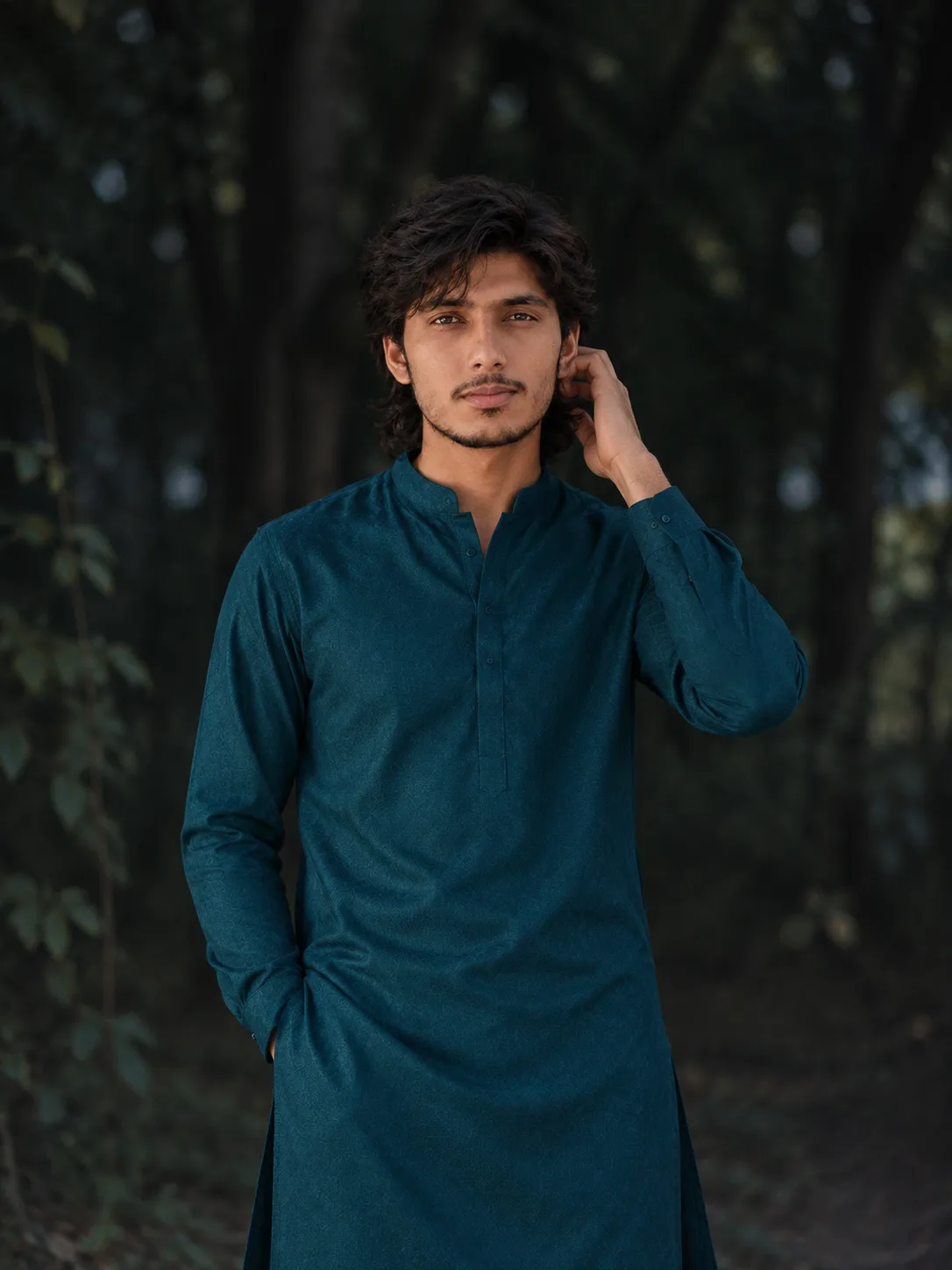
"Twilight Portrait in Teal Salwar Kameez"
Source: @user_1f42ae7a
This prompt generates "Twilight Portrait in Teal Salwar Kameez".
It is written for ChatGPT.
One variable you can change is Photorealistic look.
How to use this prompt
- Model: ChatGPT.
- Subject: "Twilight Portrait in Teal Salwar Kameez".
- Change Photorealistic look.
0 views · 0 copies · 0 favorites · 0 discussing
0Prompt
1 of 1 free copies left today
A high-resolution, photorealistic medium-shot portrait of the young man from the reference image, preserving his exact likeness, expression, and pose (hand touching his ear and looking to the side). He is standing in the same dark, moody forest grove environment at twilight. He is wearing a sophisticated and modern men's suit designed in the form of a matching teal blue cotton-silk salwar kameez set (kameez/kurta and matching pajama). The fabric has a subtle, intricate woven pattern (a small, tonal geometric weave, not printed) and is tailored with a crisp mandarin collar and hidden placket for a refined look. The material drapes elegantly. Natural, diffused twilight illumination softly highlights his features and the rich fabric texture. The background remains the same deep, dark, blurred woods. 8K Ultra HD quality.
HAIRSTYLE: Dark brown/black medium-length textured modern mullet and wolf cut with natural wavy volume[span_1](start_span)[span_1](end_span). Thick, choppy layered top swept slightly to the side, flowing back over the ears into a shoulder-length tapered mullet at the nape of the neck[span_2](start_span)[span_2](end_span). Soft, messy wavy fringe casually framing the forehead with natural matte texture and organic wave patterns[span_3](start_span)[span_3](end_span).
Similar prompts

3D Pop-up Parents Day Card
3D 노트 위 꽃이 입체적으로 피어나는 장면, 첨부된 사진의 미니 캐릭터들이 물주고 가꾸는 모습, {argument name="날씨" default="따뜻한 5월 햇살"}, 캐리커처 스타일, 밝고 사랑스러운 분위기, 실제 꽃처럼 디테일하게,

Chibi Scrapbook Photo Transformation
remove the people around the main character, Add multiple small, cute chibi-style “mini versions” of her around the image.

AI Photo Generation Guide
1. Open Gemini / Grok / GPT Image 2.0 2. Upload your photo 3. Copy the prompt 4. Generate 5. Prompt ⤵️ https://t.co/ufvHABxbuM

Depth in Image Generation
🤯 Images 2.5 is so good at building depth!

AI Sticker-Cutout Photo Effect
How to get this viral sticker-cutout photo effect with AI GPT image 2 on chatgpt Prompt👇 https://t.co/Re6oPaU3zv

Photo made of words
Your photo, but made entirely from words 🤯👇 ① Open Gemini / Grok / GPT Image 2.0 ② Add your photo ③ Paste the prompt ④ Generate.

Photo to Hand-Drawn Art
Turn your photo into a hand-drawn masterpiece ✍️🖤 ① Upload your photo ② Copy this prompt ③ Generate ④ Done.

Rubber Stamp Travel Field Notes Poster
GPT image 2 on chatgpt Prompt👇 Please create a separate "Rubber Stamp Travel Field Notes Poster" for each photo I upload, outputting each

Event Photo Synthesis Illustration
Generate a single illustration based on the school trip photos.

Istanbul Travel Journal Collage
Image created on Gpt 2 Prompt: Ultra-realistic hand-painted watercolor travel collage with soft ink outlines, vintage travel journal

Indian Wedding Invitation Card
"एक भव्य भारतीय डिजिटल वेडिंग इनविटेशन कार्ड (Digital Wedding Invitation Card)। बैकग्राउंड में हल्के गुलाबी और सुनहरे रंग के पर्दे

Cat Ruins Photo
GPT Image 2 on ChatGPT Prompt: Use the uploaded reference image as the primary facial reference.